

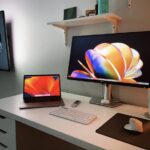





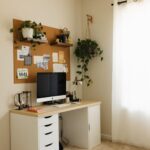


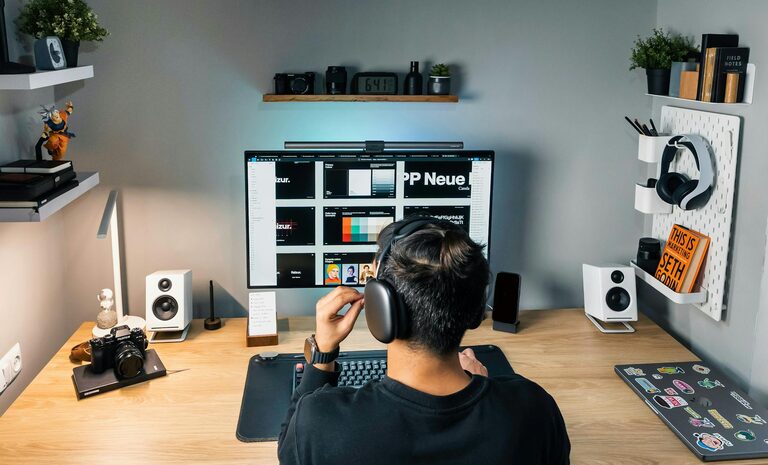
Creating a productive home workspace is essential for anyone working or studying from home. A well-organized and thoughtfully designed workspace can improve focus, reduce distractions, and promote good work habits. Whether you have a dedicated room or just a corner in your living space, organizing your area effectively can make a big difference in your daily productivity. Here are some practical tips to help you create a productive home workspace.
Choose the Right Location
Find a Quiet Spot
Look for a spot in your home that is free from excessive noise and foot traffic. A quiet area will help you concentrate better and avoid interruptions.
Consider Natural Light
If possible, set up your workspace near a window where you can get natural daylight. Natural light boosts mood, energy, and alertness, making it easier to focus on tasks.
Assess Space Availability
Choose a space where you can comfortably fit all your essential work equipment like a desk, chair, computer, and storage. Even a small corner can be optimized with the right tools.
Invest in Comfortable Furniture
Ergonomic Chair
An ergonomic chair supports good posture and reduces strain on your back and neck. You’ll feel more comfortable during long work sessions and avoid physical discomfort.
Functional Desk
Select a desk with enough surface area to hold your computer, documents, and any other supplies you use regularly. Adjustable desks or standing desk converters are great if you want to alternate between sitting and standing.
Organizers and Shelving
Use organizers such as drawer trays, file holders, or floating shelves to keep supplies neat and within reach. Clutter-free surfaces help clear the mind.
Declutter and Organize
Keep Only Essentials
Remove items that don’t support productivity from your workspace. Limit decorations and unrelated items to avoid distractions.
Use Storage Solutions
Invest in storage bins, boxes, or filing cabinets to store documents and tools that you don’t use daily but need to keep accessible.
Cable Management
Tidy up cables with clips, sleeves, or cable boxes. A neat appearance reduces stress and prevents tangling or damage.
Optimize Lighting and Reduce Glare
Use Adjustable Lighting
In addition to natural light, use adjustable desk lamps or overhead lights. Adjustable lighting helps you avoid eye strain during early mornings or late evenings.
Position Your Screen Correctly
Place your monitor or laptop screen to avoid glare from windows or overhead lights. Glare can cause headaches and decrease visual comfort.
Customize Your Space
Personal Touches
Adding personal touches like photos, plants, or artwork can make the space feel inviting. Plants also improve air quality and provide a calming effect.
Temperature and Ventilation
Make sure your workspace is at a comfortable temperature with good airflow. Being too hot or cold, or having stale air, can negatively affect focus.
Create a System for Productivity
Schedule Regular Breaks
Designate specific times to step away from your desk and stretch, hydrate, or recharge. Breaks help prevent burnout and keep productivity levels high.
Use Task Lists or Planners
Keep a planner, to-do list, or digital productivity app to organize your daily tasks. Breaking larger projects into smaller steps can make them more manageable.
Minimize Distractions
Turn off unnecessary notifications from your phone or computer. Consider using noise-canceling headphones or background music to create a focused environment.
Maintain Your Workspace Daily
Daily Tidying
Spend a few minutes at the end of each day clearing your desk. Putting things back in their place maintains order and prepares you for the next day.
Reassess Regularly
Periodically evaluate your workspace setup to see if adjustments can improve comfort or efficiency. Your needs might change, so staying flexible is important.
—
By following these tips, you can organize a home workspace that supports your productivity and well-being. Remember, an inviting and functional space helps you stay motivated and focused, making work or study from home more enjoyable and efficient.