








Creating a cozy and inviting home office space is essential for productivity and well-being, especially as more people work remotely or spend time on personal projects at home. Your workspace should not only support your tasks but also make you feel comfortable and motivated. This blog post offers practical tips on how to design a home office that balances functionality with warmth.
1. Choose the Right Location
Consider Natural Light
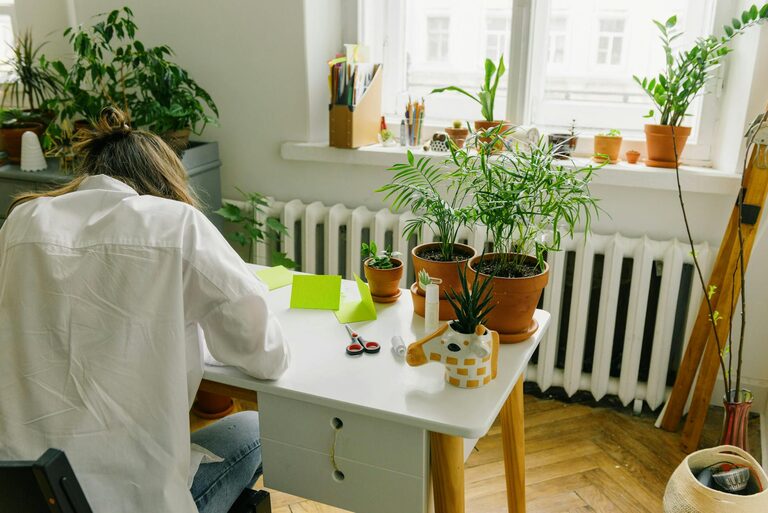
Place your desk near a window if possible. Natural light boosts mood and helps reduce eye strain. Position your desk so that the light comes from the side to avoid glare on your computer screen.
Think About Noise Levels
Select a quiet spot where interruptions are minimal. If noise is an issue, consider noise-cancelling headphones or soundproofing options like rugs or curtains to dampen sound.
2. Invest in Comfortable Furniture
Ergonomic Chair
A supportive chair is key to comfort during long work hours. Look for adjustable chairs that provide good lumbar support to prevent back pain.
Functional Desk
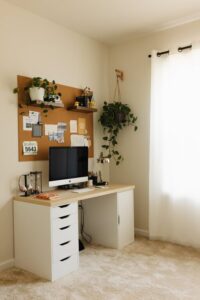
Choose a desk that fits your space and meets your needs. Desks with storage or adjustable heights can enhance usability. Ensure there’s enough surface area for your computer, documents, and other essentials.
3. Personalize with Warm Colors and Textures
Use Soothing Colors
Warm, neutral tones like beige, soft gray, or pastel shades create a calming atmosphere. These colors can help reduce stress and make the space feel inviting.
Add Textures
Introduce textiles such as a soft area rug, cozy blanket, or cushioned chair pad. These elements add warmth and make the office feel less sterile.
4. Optimize Lighting
Layered Lighting
Combine natural light with good overhead lighting and task lamps. Adjustable desk lamps with warm bulbs reduce eye fatigue and create a cozy ambiance.
Avoid Harsh Lighting
Steer clear of overly bright or fluorescent lights. Soft, warm lights help maintain a relaxed environment conducive to focus.
5. Keep Clutter Under Control
Use Storage Solutions
Shelves, drawers, and organizers keep your space tidy. Label storage containers to easily find supplies and minimize mess.
Maintain a Clean Desk
Try to keep your desk surface clear except for essential items. A decluttered workspace fosters concentration and creativity.
6. Bring in Greenery and Personal Touches
Add Plants
Indoor plants improve air quality and add life to your office. Small potted plants like succulents or spider plants are low maintenance.
Display Personal Items
Photos, artwork, or meaningful objects make your office feel personal and welcoming. Just be sure to avoid overcrowding the space.
7. Incorporate Technology Thoughtfully
Manage Cables
Use cable organizers or clips to keep cords neat and out of sight. This reduces visual clutter and keeps your area safe.
Choose User-Friendly Equipment
Invest in reliable technology, such as a good keyboard, mouse, or monitor, to enhance comfort and efficiency.
8. Create Zones for Different Tasks
If you have enough space, set up different areas for various activities such as computer work, reading, or brainstorming. This separation encourages focus and helps organize your day.
9. Maintain Good Air Quality and Temperature
Adequate ventilation and a comfortable temperature are important for staying alert. A small fan, air purifier, or humidifier might be helpful depending on your environment.
Final Thoughts
Designing a cozy and inviting home office is about balancing comfort, functionality, and personal style. A well-planned space can boost your mood, improve productivity, and make work feel more enjoyable. Start with small changes and adjust as you learn what works best for you. This way, your home office will be a place you look forward to spending time in every day.